Private preview · request access

Meet Enola,the assistant you text.

Proactive, private, and right in your messages. Send a text or a voice note from WhatsApp, RCS, SMS, or Apple Messages — and approve anything that touches your Mac.

One inbox, every channel

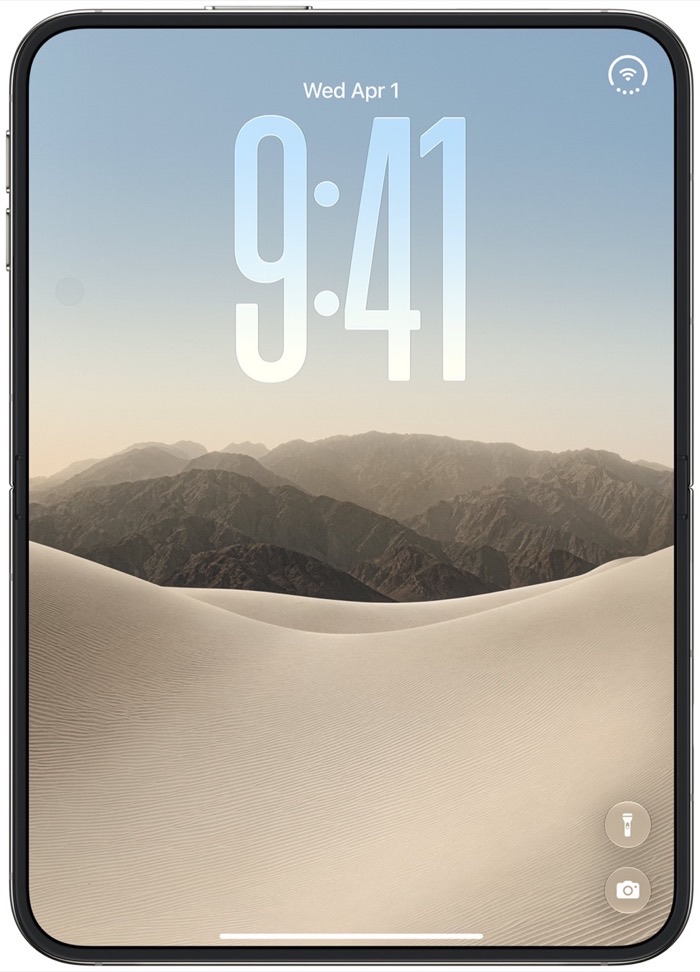
iPhone Duo closed, showing its 5.4-inch outer display and lock screen
Closed · 5.4″ outer display
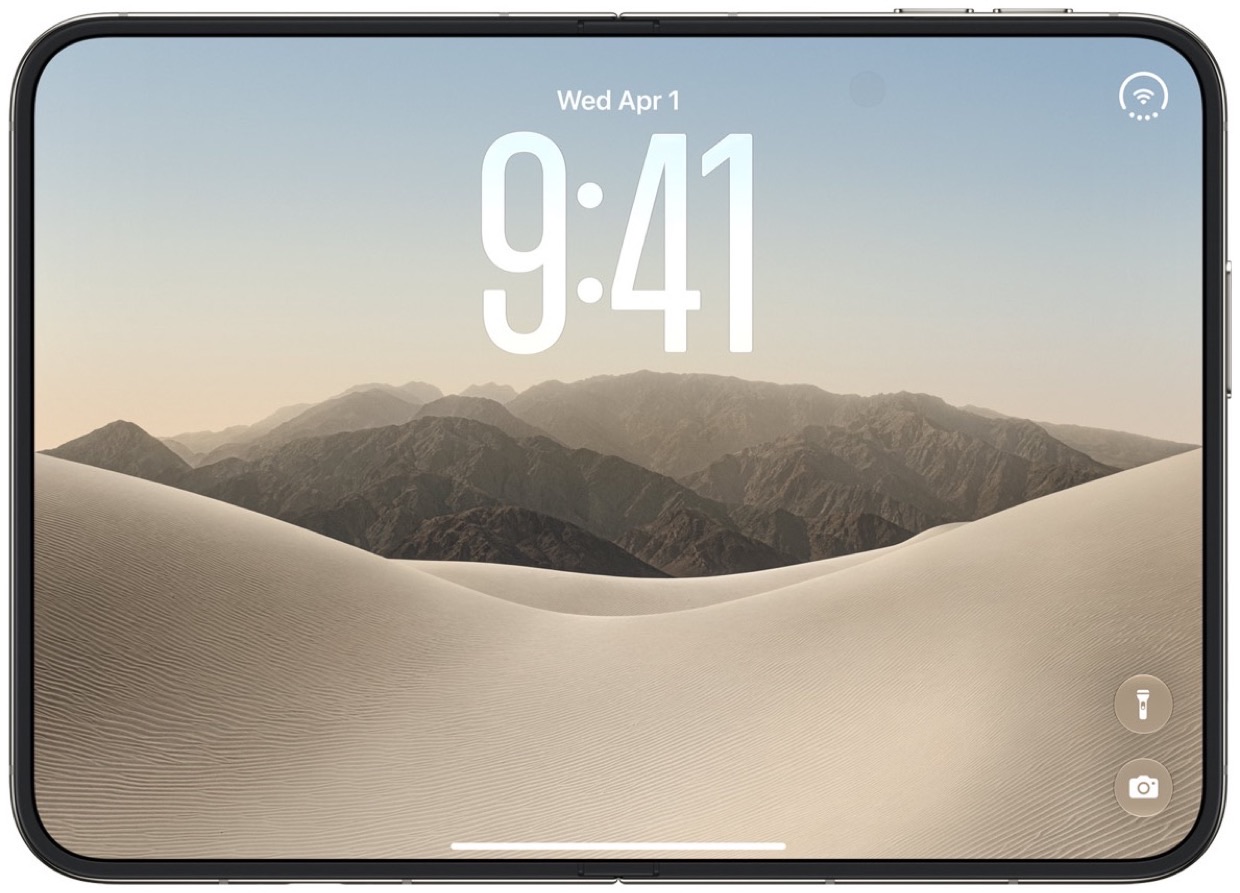
iPhone Duo open, showing its 7.6-inch inner display
Open · 7.6″ inner display

(1) Channels

Enola fits into your life (1), not the other way around.

Enola answers on the messaging channel you already have open. Every channel lands in one account-level conversation, so switching phones or apps never forks your context. There is nothing to install on a phone — the macOS build is the only Enola client you add.

WhatsApp

Send a text or a voice note to Enola from the WhatsApp you already use.

Apple Messages

Message Enola from Messages on your iPhone, iPad, or Mac. Nothing to install.

RCS

Rich messaging with a verified sender, so Enola arrives with its name and avatar.

SMS

Plain text when that is all the phone supports. Same number, same conversation.

How the channels work

Integrations

Familiar interface, real work behind it.

Connect the parts of your week you already run on, then talk to them the way you talk to a person. Enola keeps the thread, the history, and the wording.

Calendar

Move, hold, and schedule meetings without opening a calendar app.

  • Move my 4pm to Thursday
  • Hold 30 minutes before my flight
Enola TeamGet started

E-mail

Search, draft, and reply in your own voice from the thread you are already in.

  • Draft the reply and hold it
  • What did Sam send yesterday?
Enola TeamGet started

Reminders and to-dos

The errands you would otherwise forget land back in the same conversation.

  • Remind me when I am at the office
  • Add this to today
Enola TeamGet started

What Enola does

One contact. A whole workflow.

(2) Recipes

Adapts to your needs with Enola Recipes

A recipe teaches Enola how you like one thing done: the words you use, the apps involved, and what to do when a request is ambiguous. Set one up in a sentence and it keeps working.

  • Set up in plain language, no builder screens
  • Reusable on every channel you message from
  • Shared privately, or with your team
Learn more
Recipe savedEnola · set up in one sentence
Anything from Sam about Thursday, hold 30 minutes before I fly.
Saved as “Travel buffer”. I will apply it to every trip.
Travel buffer

Trigger: a flight appears on your calendar · Action: hold 30 minutes before departure · Approve once.

Keep recipeUpdate scope

(3) Schedule

Handles tasks according to your schedule

Ask in the thread and Enola works when you asked. It holds the request, moves what needs moving, and tells you what changed instead of leaving you to check.

  • Plain-language scheduling and holds
  • Reminders arrive in the same conversation
  • Nothing runs silently
Learn more
Today3 changes · nothing runs silently
Move my 4pm and let Sam know.
Moved to 4:30. The note to Sam is drafted and waiting for you.
4:30 · Product review

Moved from 4:00 · Sam notified · Room unchanged

UndoKeep

(4) Proactive

Proactively keeps you in the loop

Pending work, expiring approvals, and finished tasks report back in the thread you are already reading. Enola also uses what it knows about your week to start things early.

  • Status in the same thread, not a dashboard
  • Pending tasks expire instead of stalling
  • Separate from anything promotional
See it in use
Picked up for youEnola · a moment ago
Your flight lands at 18:05 and the hotel desk closes at 19:00. I drafted the late-arrival note.
Send the late-arrival note?

Drafted from your last three confirmations · expires in 10 minutes.

Send itHold

(5) Extends

For the cases only you have.

Enola Kitchen lets you hand the assistant your own tools. Describe the service, set the approval rule once, and Enola can call it from any thread.

  • Point Enola at a service you already run
  • Every write goes through an approval on your Mac
  • Recipes and tool calls stay inside your account
Read the docs
Enola Kitchentool manifest · 1 of 3
{
  "name": "release_check",
  "run": "https://internal.example/release",
  "approval": "on_write",
  "returns": "summary"
}
Release is healthy

Build 4821 · 3 checks passed · nothing shipped yet

Open logsAsk a follow-up

Plans

Choose a plan to get started

Every plan gets all of Enola. Start free, then step up for more intelligence and headroom as it becomes part of your day.

Free

Almost everything Enola does, free from the first message

$0/ month

Free Forever

Get Started

Includes:

  • No credit card required
  • Conversations, voice notes, and approvals
  • Recipes, reminders, and proactive updates
  • Connect your email, calendar, and favorite apps

Plus

Member offers, early access, and headroom for heavier days

$15/ month

Billed Monthly

Get Plus

Everything in Free, plus:

  • Member offers and promotional pricing
  • Early access to new recipes and tools
  • Higher limits for heavier use
  • Priority support

Business

For merchants: run the shop, the offers, and the replies in one thread

$199/ month

Billed Monthly

Get Business

Everything in Plus, plus:

  • Merchant profile your customers can message
  • Maintain your listings, hours, and offers
  • Customer replies, orders, and follow-ups in one inbox
  • Shared recipes and per-person approvals for your team
  • Business support

Free carries almost the whole product. Plus adds member offers and headroom, and Business adds the merchant tools for shops that sell through the thread.

Compare every plan

Community

People who stopped opening another app.

I stopped opening my calendar app. I text Enola on the way to the car and the week is fixed by the time I am driving.
Adonis C.Product lead, 40-person team
The voice notes are the part that stuck. I talk for twenty seconds and the reply is already drafted in my own wording.
Mira T.Clinical researcher
Having the work line separate from my personal thread is what made it usable. Nothing about my job leaks into the other inbox.
Sam O.Studio founder

Start with a message

Say hello in a message.

Enola is in private preview. Send a message to start a guest conversation, or ask us for access if you want the macOS build on your own Mac.

Get started opens your messaging app. Requesting access opens your e-mail app addressed to support@eno.la. Nothing is submitted from this page.